A progress dialog reports how far a long-running operation has got. Like the other dialogs it is drawn inside the MetroWindow rather than in a window of its own.
It is the one dialog that does not wait for an answer. ShowProgressAsync returns as soon as the dialog is on screen and hands you a ProgressDialogController — the handle you drive the dialog with, and the only way to close it again:
private async void OnCopyClick(object sender, RoutedEventArgs e)
{
    var controller = await this.ShowProgressAsync("Copying files", "Starting...");

    for (var i = 0; i < files.Count; i++)
    {
        controller.SetMessage($"{i} of {files.Count} files copied");
        controller.SetProgress((double)i / files.Count);

        await CopyAsync(files[i]);
    }

    await controller.CloseAsync();
}
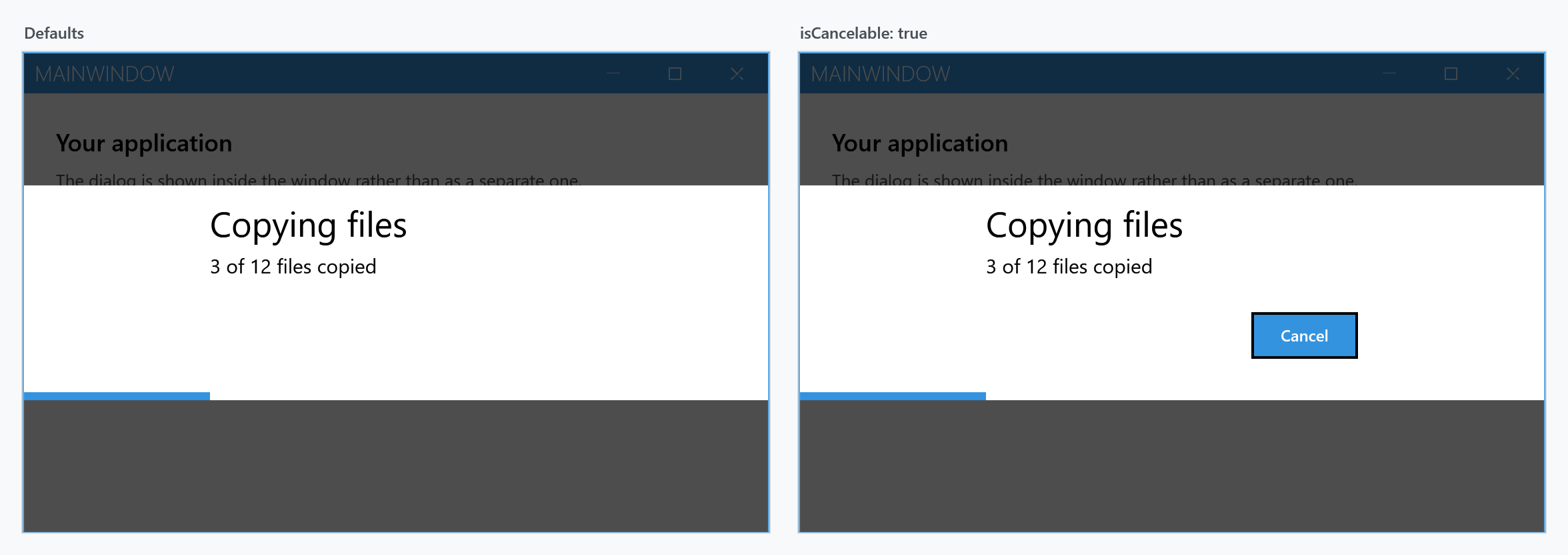
The dialog reserves the space for the cancel button whether or not it is shown, which is why both panels are the same height. Pass isCancelable: true to fill it.
From a view model, use the dialog coordinator rather than reaching for the window — IDialogCoordinator.ShowProgressAsync takes the same arguments after the context object.
Whatever happens, the dialog stays up until something calls CloseAsync. There is no button that dismisses it, Esc does nothing, and — unlike the other dialogs — neither does the CancellationToken. Put the call in a finally block if the work can throw.
Progress runs from 0 to 1
The progress bar is created with Minimum="0.0" and Maximum="1.0", not 0 to 100. SetProgress throws ArgumentOutOfRangeException for anything outside that range, so the percentage that looks like the obvious argument fails on the first call:
controller.SetProgress(0.25);   // a quarter done
controller.SetProgress(25);     // ArgumentOutOfRangeException
Set your own range instead of scaling every value if that reads better:
controller.Minimum = 0;
controller.Maximum = files.Count;
controller.SetProgress(i);
The controller
| Member | |
|---|---|
SetProgress(double) |
sets the value and switches the bar back to determinate |
SetIndeterminate() |
switches the bar to the indeterminate animation |
Minimum, Maximum |
the range, 0.0 to 1.0 by default |
SetMessage(string) |
replaces the body text |
SetTitle(string) |
replaces the title |
SetCancelable(bool) |
shows or hides the cancel button after the fact |
SetProgressBarForegroundBrush(Brush) |
recolours the bar |
IsCanceled |
true once the user has pressed cancel |
IsOpen |
false once CloseAsync has finished |
Canceled |
raised when the user presses cancel |
Closed |
raised when CloseAsync has finished |
CloseAsync() |
closes the dialog |
Every one of these marshals to the UI thread by itself, so they can be called straight from the worker that is doing the work.
CloseAsync throws InvalidOperationException if the dialog is no longer visible, so close it exactly once.
Cancelling
Pressing cancel does not close the dialog. It disables the cancel button, sets IsCanceled and raises Canceled — the operation is expected to notice, stop, and close the dialog itself:
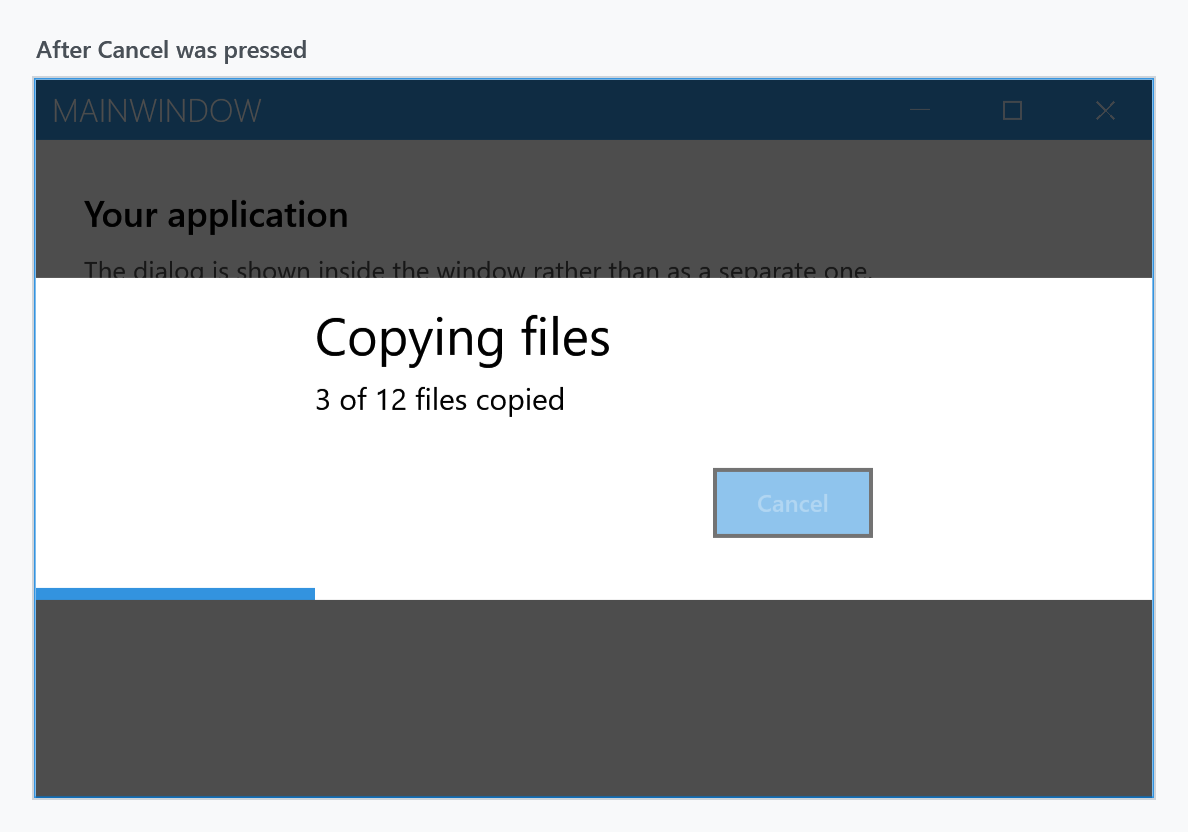
That gives you somewhere to run the rollback while the dialog is still telling the user something is happening. Polling IsCanceled in the loop is the usual shape:
var controller = await this.ShowProgressAsync("Copying files", "Starting...", isCancelable: true);

foreach (var file in files)
{
    if (controller.IsCanceled)
    {
        break;
    }

    controller.SetMessage($"Copying {file.Name}");
    await CopyAsync(file);
}

await controller.CloseAsync();
Use the Canceled event where the work is not a loop you control — to signal a CancellationTokenSource of your own, for instance:
var cts = new CancellationTokenSource();
controller.Canceled += (_, _) => cts.Cancel();
The CancellationToken in MetroDialogSettings does the same thing as the button, not more: it marks the dialog cancelled and raises Canceled. It does not close it. That differs from the message, input and login dialogs, where the token ends the dialog and the call returns.
Indeterminate
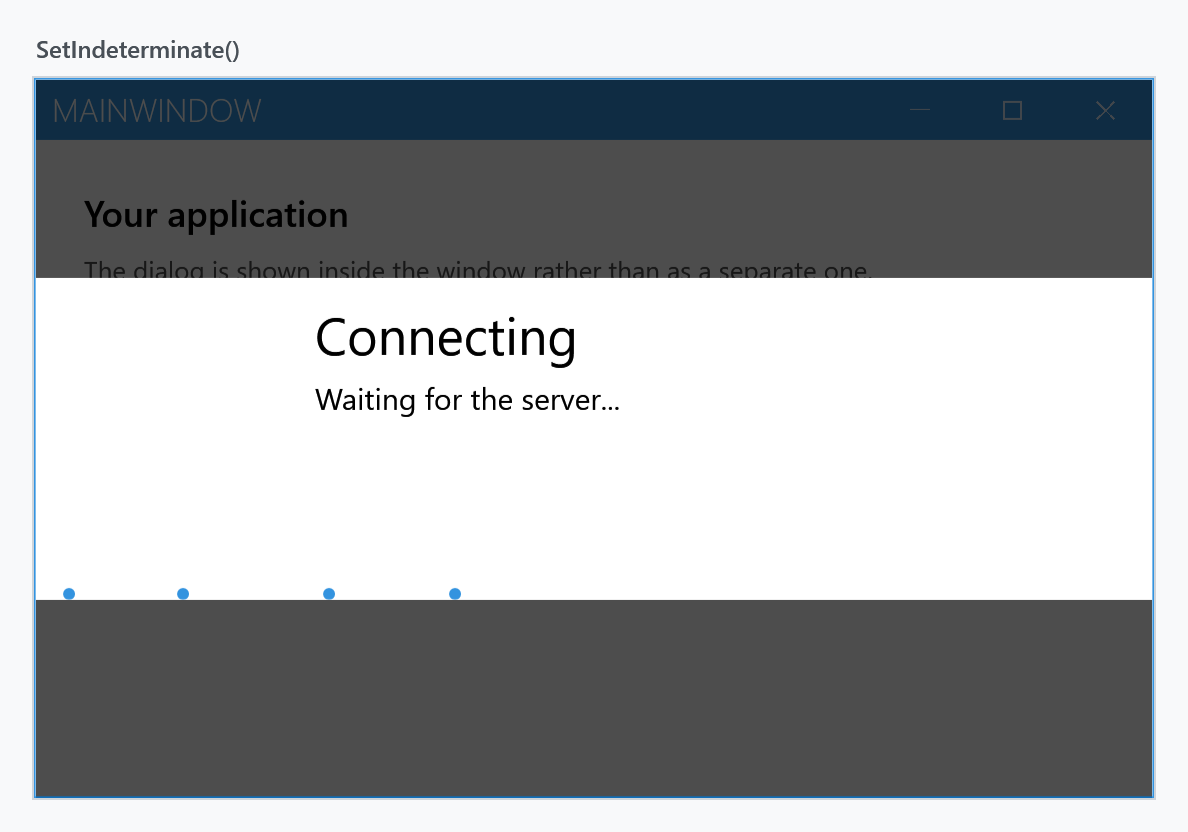
SetIndeterminate() switches the bar to the animation that says something is happening without saying how much is left — the state to use before the total is known. Any later SetProgress switches it back.
Colour scheme
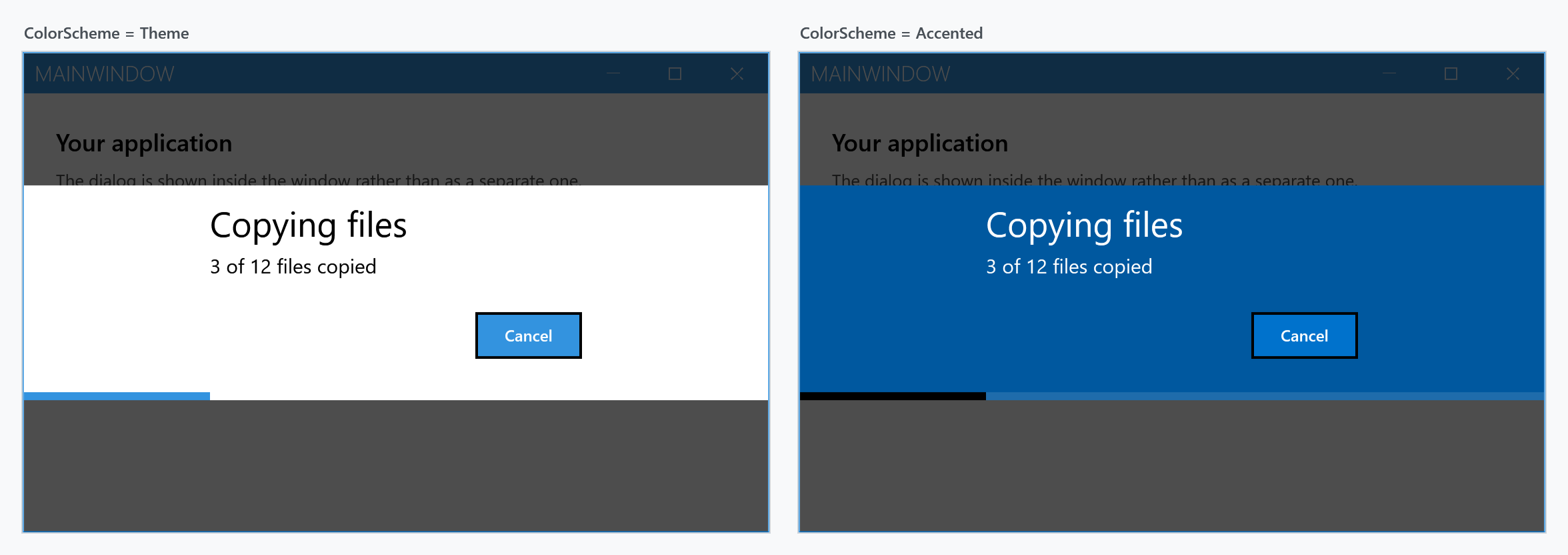
ColorScheme works as it does for the other dialogs. The bar itself follows only in part: under Theme it is drawn in the accent colour, under Accented and Inverted in the theme foreground, so that it stays visible against the filled background.
Which settings actually apply
MetroDialogSettings is shared by all the dialog types, and a progress dialog reads only part of it.
| Setting | Effect on a progress dialog |
|---|---|
NegativeButtonText |
label of the cancel button, Cancel by default |
ColorScheme |
as above |
DialogTitleFontSize, DialogMessageFontSize, DialogButtonFontSize |
as for the other dialogs |
AnimateShow, AnimateHide |
as for the other dialogs |
OwnerCanCloseWithDialog |
whether the window can be closed while the dialog is up |
CancellationToken |
marks the dialog cancelled; does not close it |
CustomResourceDictionary |
resources for the dialog |
AffirmativeButtonText, FirstAuxiliaryButtonText, SecondAuxiliaryButtonText |
ignored — a progress dialog has at most the cancel button |
DefaultButtonFocus |
ignored |
DefaultText |
ignored — only the input dialog uses it |
DialogResultOnCancel |
ignored — a progress dialog has no result |
MaximumBodyHeight |
ignored — only the message dialog uses it |
Note that whether the cancel button is shown is not a setting: it is the isCancelable argument of ShowProgressAsync, or SetCancelable later on.
Outside a MetroWindow
There is no external variant. The message, input and login dialogs each have a ShowModal...External method that opens them in a window of their own; the progress dialog has none, so it needs a MetroWindow to be drawn into.