An input dialog asks for one line of text. Like the other dialogs it is drawn inside the MetroWindow rather than in a window of its own.
ShowInputAsync returns the text that was entered, or null if the user backed out:
private async void OnButtonClick(object sender, RoutedEventArgs e)
{
    var name = await this.ShowInputAsync("What is your name?", "This will appear on your profile.");

    if (name is null)
    {
        return; // cancelled
    }

    // use name
}
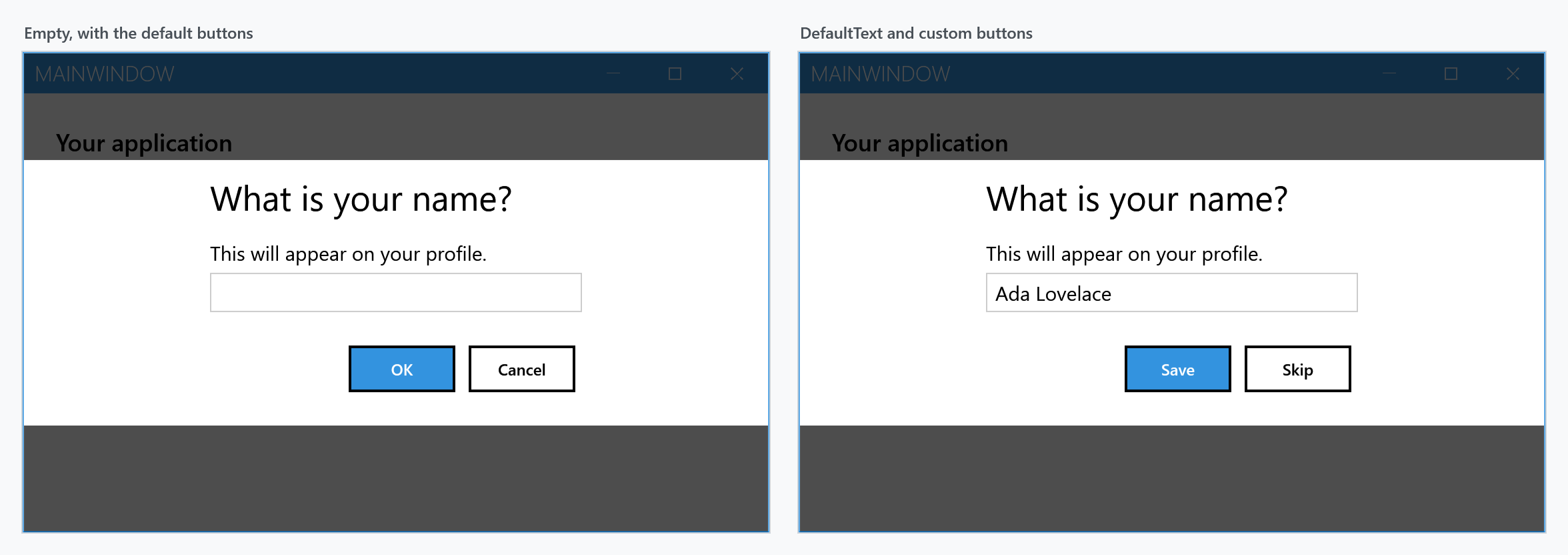
From a view model, use the dialog coordinator instead of reaching for the window.
The null result
Everything that is not "the user pressed the affirmative button" gives you null: the negative button, Esc, Alt+F4, and cancelling the CancellationToken.
null and an empty string are different answers. An empty string means the user confirmed an empty box; null means there was no answer at all. Check for null rather than using string.IsNullOrEmpty if the two should behave differently.
Prefilling the box
DefaultText puts a value in the box before the dialog opens. It arrives selected, so typing replaces it and confirming keeps it:
var settings = new MetroDialogSettings
               {
                   DefaultText = "Ada Lovelace",
                   AffirmativeButtonText = "Save",
                   NegativeButtonText = "Skip"
               };

var name = await this.ShowInputAsync("What is your name?", "This will appear on your profile.", settings);
Checking what was typed
InputDialogSettings is on develop and ships with the next release. It is not in 2.4.11, where
the only way to turn an answer down is to take it, look at it and ask again.
Left to itself the dialog hands back whatever is in the box. InputDialogSettings adds a check that
decides whether it may be left at all:
var settings = new InputDialogSettings
               {
                   ValidateInput = input => input?.Length >= 3 ? null : "at least three characters"
               };

var name = await this.ShowInputAsync("What is your name?", "This will appear on your profile.", settings);
The check runs every time the affirmative button is pressed, and on Enter. Return null
to let the dialog close, or the reason it cannot: the dialog stays where it is, the box is marked the
way any invalid field is, and what was returned is shown with it. Typing over the line takes the mark
off again.
Backing out is not checked. The negative button, Esc and the CancellationToken all still
give null straight away, whatever is in the box.
InputDialogSettings derives from MetroDialogSettings, so everything below applies to it as well,
and a call that passes plain settings keeps behaving as it always has.
Colour scheme
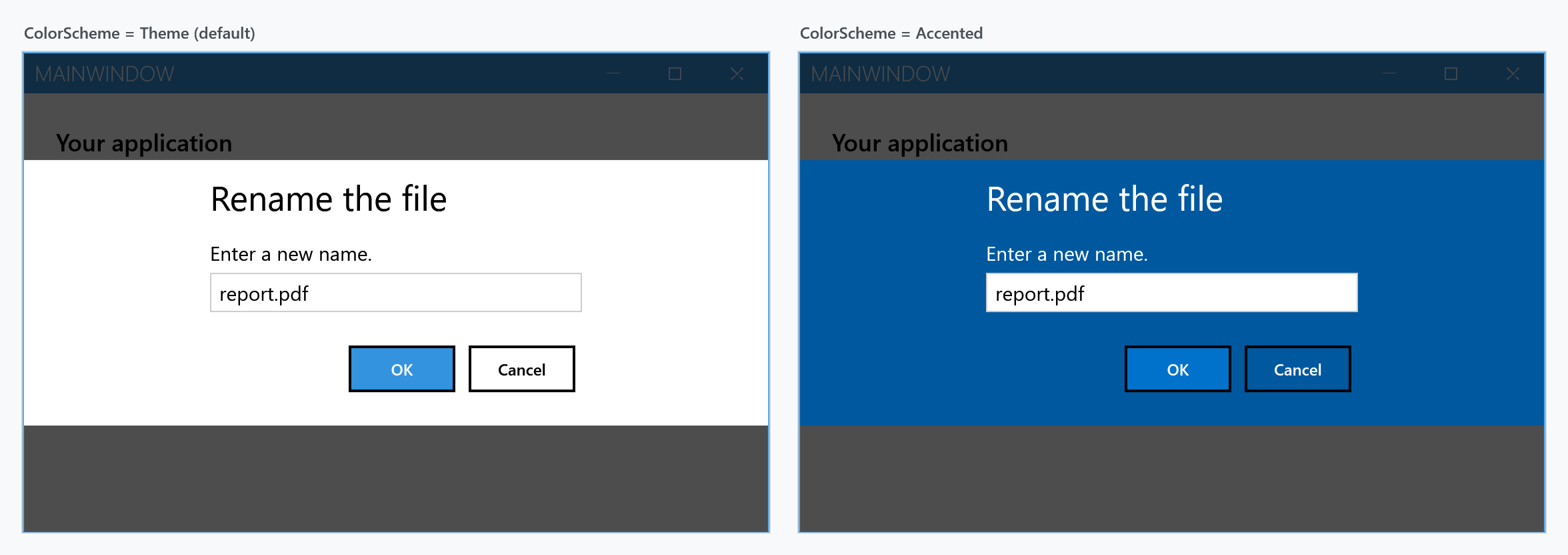
ColorScheme works as it does for the other dialogs: Theme follows the current theme, Accented fills the dialog with the accent colour, Inverted uses the inverse of the theme.
Which settings actually apply
MetroDialogSettings is shared by all the dialog types, and an input dialog reads only part of it. The rest is accepted and ignored, which is worth knowing before you spend time on a setting that cannot take effect here.
| Setting | Effect on an input dialog |
|---|---|
DefaultText |
prefills the box |
ValidateInput |
on InputDialogSettings, develop only: decides whether the dialog may be left, see above |
AffirmativeButtonText |
label of the confirm button, OK by default |
NegativeButtonText |
label of the cancel button, Cancel by default |
ColorScheme |
as above |
DialogTitleFontSize, DialogMessageFontSize, DialogButtonFontSize |
as for the other dialogs |
AnimateShow, AnimateHide |
as for the other dialogs |
OwnerCanCloseWithDialog |
whether the window can be closed while the dialog is up |
CancellationToken |
closes the dialog; the call returns null |
CustomResourceDictionary |
resources for the dialog |
FirstAuxiliaryButtonText, SecondAuxiliaryButtonText |
ignored — an input dialog has exactly two buttons |
DefaultButtonFocus |
on develop: marks the button it names, ignored in 2.4.11. The caret starts in the text box either way |
DialogResultOnCancel |
ignored — cancelling always gives null |
MaximumBodyHeight |
ignored — only the message dialog uses it |
Keyboard
Focus starts in the text box, so the user can type straight away. Enter confirms and returns the text. Esc cancels and returns null.
Outside a MetroWindow
Where there is no MetroWindow to draw into, ShowModalInputExternal opens the dialog in a window of its own and blocks until it is answered:
string name = this.ShowModalInputExternal("What is your name?", "This will appear on your profile.");
Being synchronous, it is not the one to use from an async path.