WindowButtonCommands is the group of three buttons at the right end of a MetroWindow's title bar: minimise, maximise/restore and close. Every MetroWindow has one, so you rarely place it yourself — but you may well want to hook or restyle it.
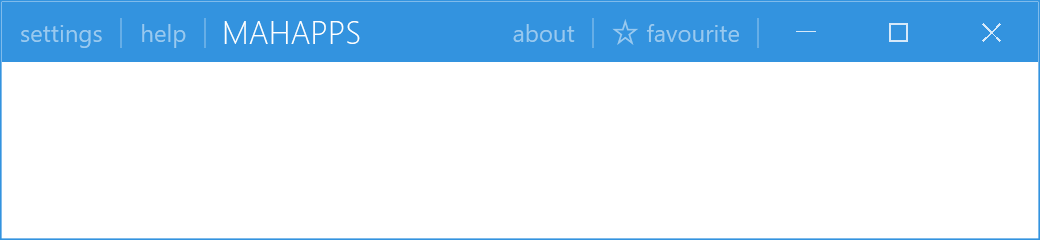
It derives from ContentControl and its template parts are PART_Min, PART_Max and PART_Close. The buttons drive WPF's own SystemCommands, so their behaviour is the platform's.
Cancelling a close
The one event, and the reason to reach for this control:
private void OnClosingWindow(object sender, ClosingWindowEventHandlerArgs args)
{
    args.Cancelled = !this.viewModel.CanClose;
}
<mah:MetroWindow.WindowButtonCommands>
    <mah:WindowButtonCommands ClosingWindow="OnClosingWindow" />
</mah:MetroWindow.WindowButtonCommands>
ClosingWindow is raised before SystemCommands.CloseWindow is called, and setting args.Cancelled stops it:
var args = new ClosingWindowEventHandlerArgs();
this.ClosingWindow?.Invoke(this, args);

if (args.Cancelled)
{
    return;
}

SystemCommands.CloseWindow(this.ParentWindow);
This fires only for the close button. Alt+F4, the system menu and Window.Close() do not go through it — use Window.Closing for those. ClosingWindow is the narrower hook, for when you want the button specifically to behave differently.
The tooltips come from Windows
| Property | Type | Default |
|---|---|---|
Minimize |
string |
null |
Maximize |
string |
null |
Close |
string |
null |
Restore |
string |
null |
All four are the buttons' tooltips, and all four default to null because the control fills them from the operating system:
if (string.IsNullOrWhiteSpace(this.Minimize))
{
    this.SetCurrentValue(MinimizeProperty, this.GetCaption(900));
}
GetCaption loads User32.dll and pulls string resources 900, 901, 903 and 905 out of it with LoadString. So the tooltips are Windows' own, already in the user's display language, and they are only worth setting if you want something other than the system wording.
Restore is the caption used while the window is maximised, when the middle button restores instead of maximising.
On develop these texts usually do not reach the screen at all, and that is deliberate. The three buttons report themselves to Windows as the window's own caption buttons, through NonClientControlProperties.HitTestResult in the template. That is what a snap layout hangs off, along with the hover colours Windows paints and the layout menu on the maximise button. Windows then draws the tooltips as well, in its own wording and the system language.
The properties are still there and still fill the ToolTip of the buttons, which is what a template of your own sees. There is no way to have both: a template that leaves the hit test result unset gets its tooltips back and gives up the snap layout along with them. This is #4487.
Styling the three buttons
Six properties, one per button per base colour:
LightMinButtonStyle, LightMaxButtonStyle, LightCloseButtonStyle |
used when Theme is "Light" |
DarkMinButtonStyle, DarkMaxButtonStyle, DarkCloseButtonStyle |
used when Theme is "Dark" |
Theme is a string holding a base-colour name and defaults to ThemeManager.BaseColorLight. Changing it swaps which set of three styles the buttons use — the same arrangement as WindowCommands and its LightTemplate / DarkTemplate pair.
That is six properties to set for one visual change, so in practice it is easier to restyle the buttons through the theme brushes, or to set the same style on both members of a pair when the title bar's base colour never changes.
ParentWindow is a read-only property pointing at the hosting MetroWindow.
Hiding them, and keeping them over flyouts
The window controls both, not this control:
<mah:MetroWindow ShowMinButton="False"
                 ShowMaxRestoreButton="False"
                 ShowCloseButton="False" />
WindowButtonCommandsOverlayBehavior decides whether the buttons stay visible above an open Flyout. It is an OverlayBehavior and defaults to Always, which is why the window buttons are drawn over the flyouts in the figures on the Flyouts page. A modal flyout still covers them.
Related
WindowCommands for your own buttons at either end of the title bar, MetroWindow for the window itself and the Show…Button properties, and Flyouts for the overlay behaviour.