A login dialog asks for a username and a password. Like the other dialogs it is drawn inside the MetroWindow rather than in a window of its own.
ShowLoginAsync returns a LoginDialogData, or null if the user backed out:
private async void OnSignInClick(object sender, RoutedEventArgs e)
{
    var result = await this.ShowLoginAsync("Sign in", "Enter your credentials.");

    if (result is null)
    {
        return; // cancelled
    }

    await this.SignInAsync(result.Username, result.SecurePassword);
}
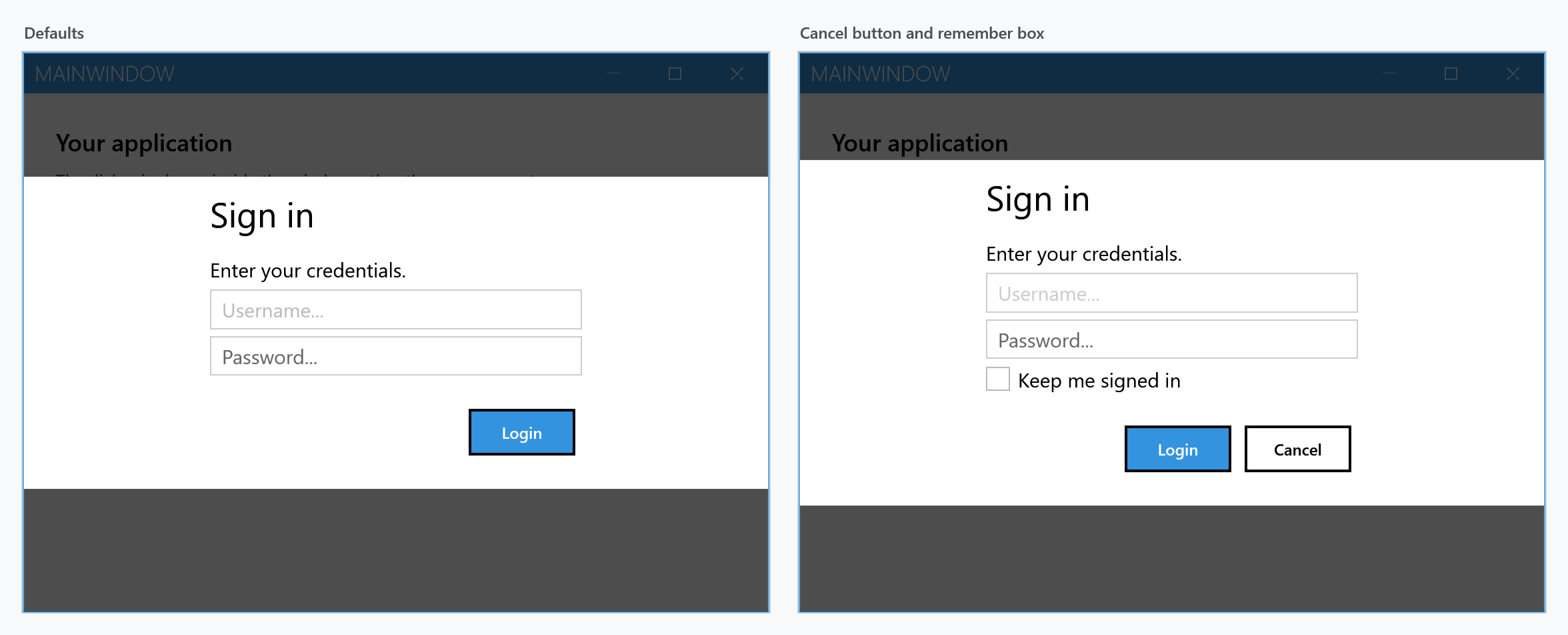
Note the left one: there is no cancel button by default. NegativeButtonVisibility starts at Collapsed, so out of the box the dialog can only be dismissed with Esc. Show the button if the user should be able to see a way out.
From a view model, use the dialog coordinator rather than reaching for the window.
What you get back
| Member | Type | |
|---|---|---|
Username |
string |
what was typed in the first box |
SecurePassword |
SecureString |
the password |
Password |
string |
the same password as a plain string |
ShouldRemember |
bool |
state of the remember checkbox, false when it is hidden |
Prefer SecurePassword. The Password property is not a stored value — each read marshals the SecureString into a managed string, which then sits in memory until the garbage collector happens to reclaim it, and cannot be cleared. Use it only when an API you cannot change demands a string, and keep it out of variables that live longer than the call.
Settings
ShowLoginAsync takes a LoginDialogSettings, which derives from MetroDialogSettings and adds the login-specific parts.
| Setting | Default | |
|---|---|---|
InitialUsername |
null |
prefills the username box |
InitialPassword |
null |
prefills the password box |
UsernameWatermark |
Username... |
placeholder in the empty username box |
PasswordWatermark |
Password... |
placeholder in the empty password box |
UsernameCharacterCasing |
Normal |
force the username to upper or lower case as it is typed |
ShouldHideUsername |
false |
hide the username box entirely |
EnablePasswordPreview |
false |
add a button that reveals the password while held |
NegativeButtonVisibility |
Collapsed |
show the cancel button |
RememberCheckBoxVisibility |
Collapsed |
show the remember checkbox |
RememberCheckBoxText |
Remember |
its label |
RememberCheckBoxChecked |
false |
its initial state |
AffirmativeButtonText |
Login |
note the different default from the other dialogs |
Inherited from MetroDialogSettings: NegativeButtonText, ColorScheme, the three font sizes, AnimateShow and AnimateHide, OwnerCanCloseWithDialog, CancellationToken and CustomResourceDictionary. As with the input dialog, DefaultButtonFocus, DialogResultOnCancel and MaximumBodyHeight have no effect here.
Variants
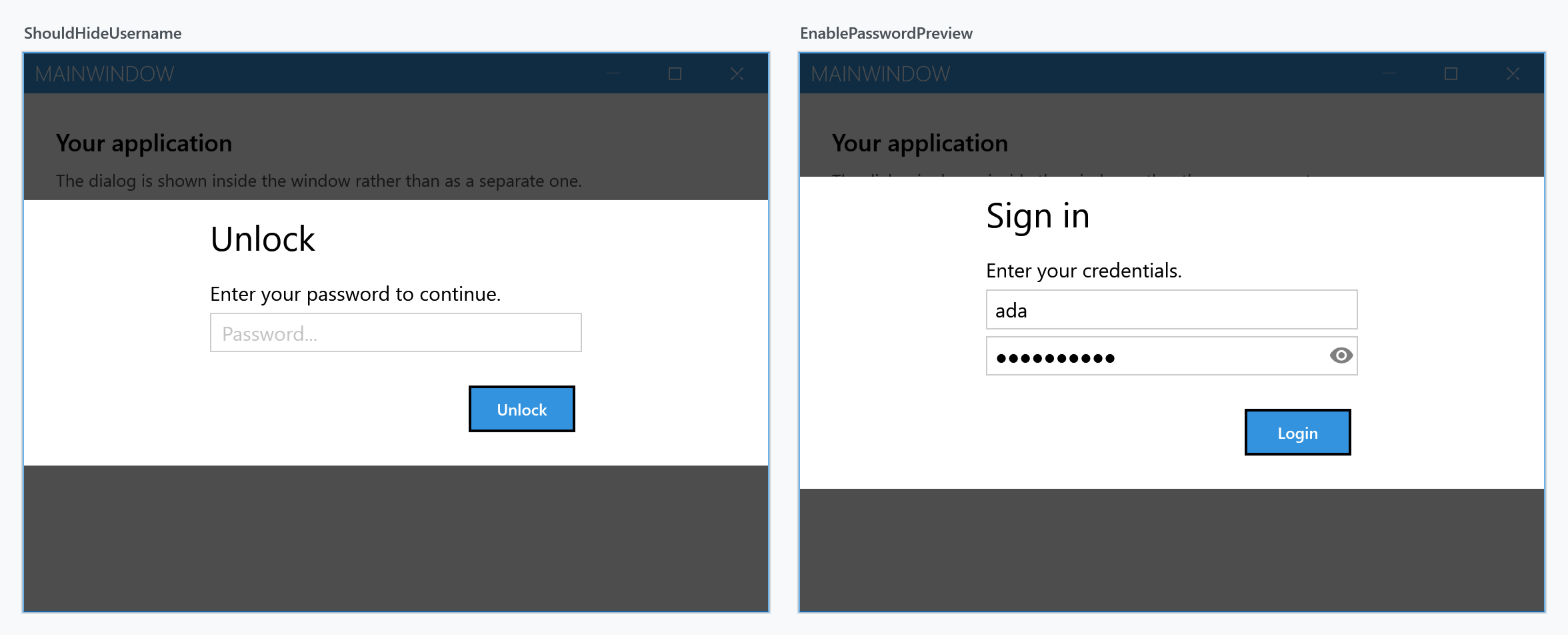
ShouldHideUsername turns the dialog into a password prompt, which suits unlocking something that already knows who you are. EnablePasswordPreview adds the reveal button to the password box:
var settings = new LoginDialogSettings
               {
                   InitialUsername = "ada",
                   EnablePasswordPreview = true,
                   NegativeButtonVisibility = Visibility.Visible,
                   NegativeButtonText = "Cancel",
                   RememberCheckBoxVisibility = Visibility.Visible,
                   RememberCheckBoxText = "Keep me signed in"
               };

var result = await this.ShowLoginAsync("Sign in", "Enter your credentials.", settings);
Caps lock warning
You get one for free. While the password box has focus, an indicator appears inside it whenever Caps Lock is on, carrying the tooltip Caps lock is on. Nothing has to be switched on for this — it comes from the MahApps PasswordBox style, which every PasswordBox picks up implicitly, and it survives EnablePasswordPreview because that style inherits from the same base.
The icon and the tooltip are attached properties on the password box, so they can be replaced:
<PasswordBox mah:PasswordBoxHelper.CapsLockWarningToolTip="Caps Lock is turned on" />
Inside a login dialog you cannot reach the box directly to set these; overriding them means supplying your own style through CustomResourceDictionary.
Keyboard
Enter confirms and returns the data. Esc cancels and returns null — which it does whether or not the cancel button is visible.
Outside a MetroWindow
Where there is no MetroWindow to draw into — a login prompt before the main window exists is the usual case — ShowModalLoginExternal opens the dialog in a window of its own and blocks until it is answered:
LoginDialogData result = this.ShowModalLoginExternal("Sign in", "Enter your credentials.");
Being synchronous, it is not the one to use from an async path.