A message dialog asks a question or states a fact and waits for a button. It is drawn inside the MetroWindow rather than in a window of its own, so it dims what is behind it instead of stacking another frame on the desktop.
ShowMessageAsync is an extension method on MetroWindow. From code-behind that means calling it on this:
private async void OnButtonClick(object sender, RoutedEventArgs e)
{
    await this.ShowMessageAsync("This is the title", "Some message");
}
From a view model you would not reach for the window at all — use the dialog coordinator instead, which takes the same arguments.
Which buttons appear
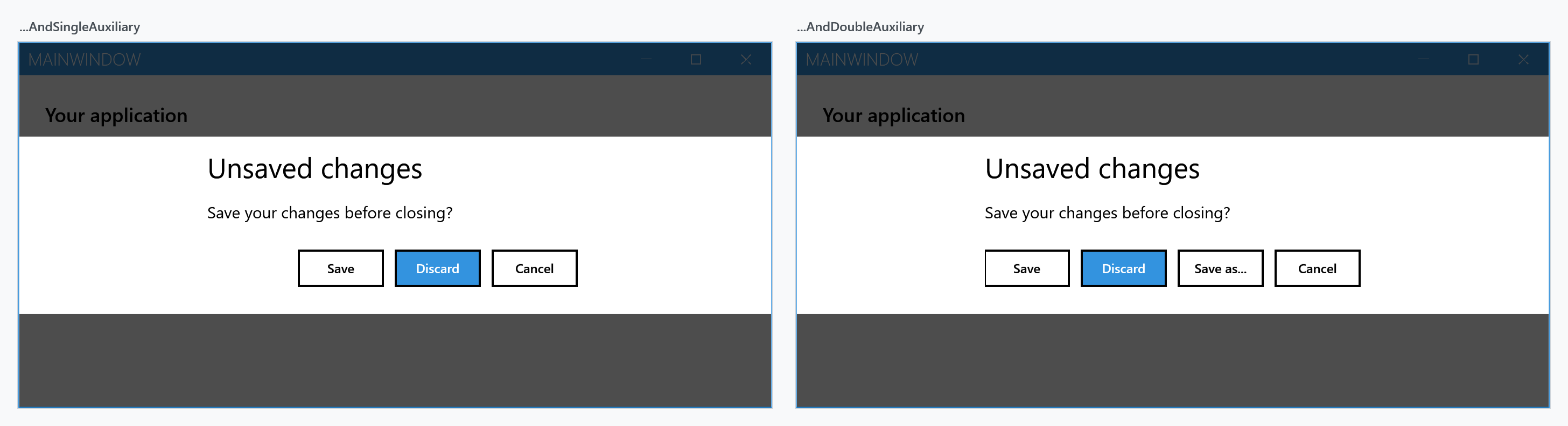
The third parameter picks the button set. Each returns a different MessageDialogResult, and awaiting the call gives you that result.
MessageDialogStyle |
Buttons | Possible results |
|---|---|---|
Affirmative (default) |
one | Affirmative |
AffirmativeAndNegative |
two | Affirmative, Negative |
AffirmativeAndNegativeAndSingleAuxiliary |
three | + FirstAuxiliary |
AffirmativeAndNegativeAndDoubleAuxiliary |
four | + SecondAuxiliary |
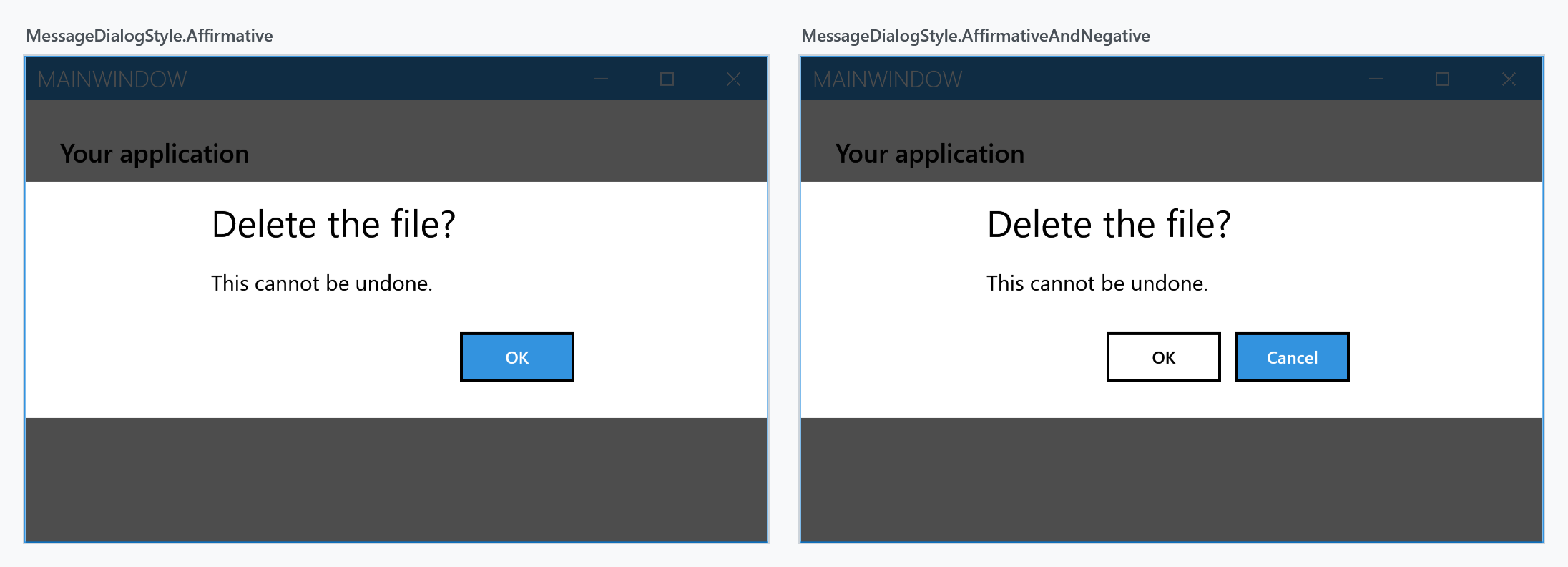
var result = await this.ShowMessageAsync(
    "Delete the file?",
    "This cannot be undone.",
    MessageDialogStyle.AffirmativeAndNegative);

if (result == MessageDialogResult.Affirmative)
{
    // delete it
}
MessageDialogResult also has a Canceled member. A message dialog does not produce it — it belongs to the dialogs that can be dismissed without an answer, such as a login dialog.
Button labels and appearance
Everything else is set through MetroDialogSettings, passed as the last argument. The buttons are labelled OK and Cancel unless you say otherwise, which is rarely what you want for a question:
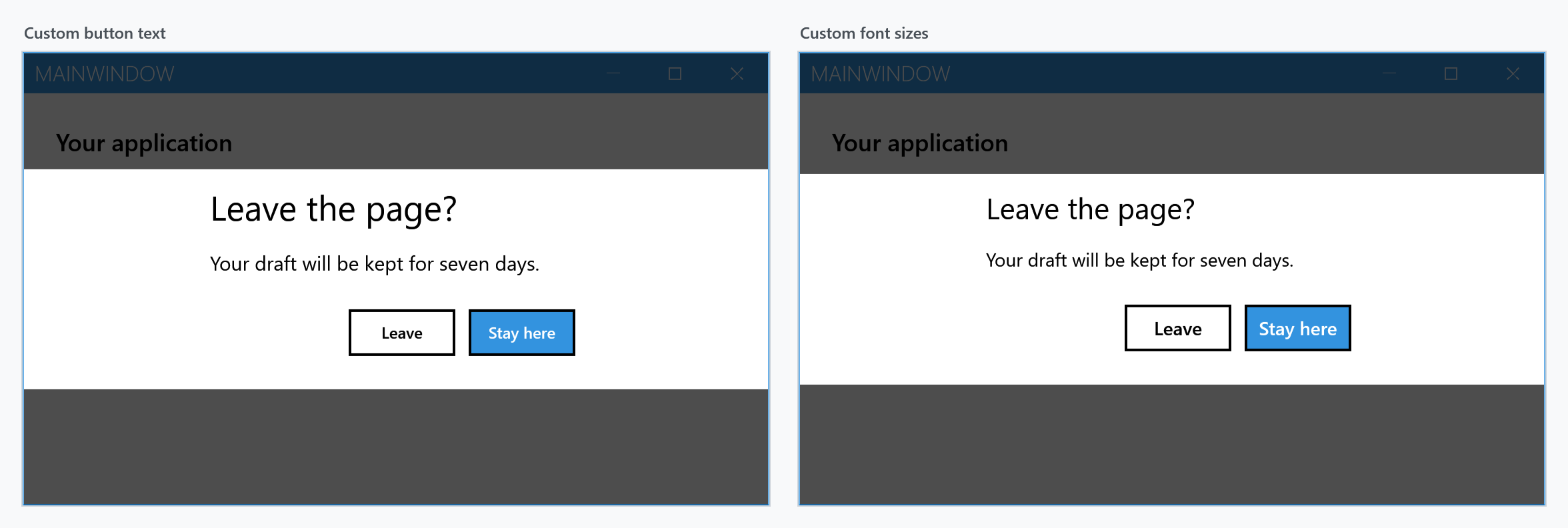
var settings = new MetroDialogSettings
               {
                   AffirmativeButtonText = "Leave",
                   NegativeButtonText = "Stay here"
               };

var result = await this.ShowMessageAsync(
    "Leave the page?",
    "Your draft will be kept for seven days.",
    MessageDialogStyle.AffirmativeAndNegative,
    settings);
FirstAuxiliaryButtonText and SecondAuxiliaryButtonText label the third and fourth buttons. DialogTitleFontSize, DialogMessageFontSize and DialogButtonFontSize override the sizes; leave them alone and the theme decides.
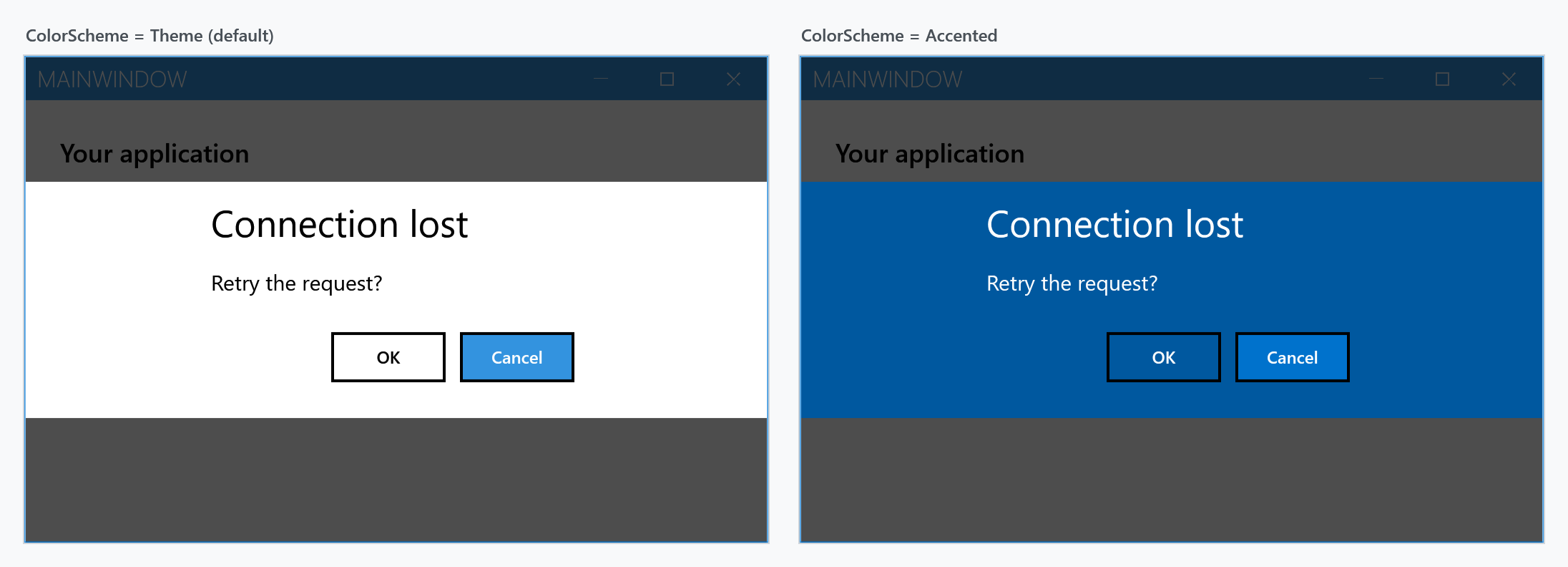
ColorScheme paints the dialog. Theme follows the current theme, Accented fills it with the accent colour, and Inverted uses the inverse of the theme:
Keyboard
Enter activates the focused button. DefaultButtonFocus decides which one that is at the start — it defaults to Negative, so the safe choice is preselected on a two-button dialog.
Esc and Alt+F4 close the dialog. What that returns depends on DialogResultOnCancel: set it and you get that value, leave it unset and you get Affirmative for a one-button dialog and Negative for every other style.
Escape always returns something — a message dialog has no "no answer" result. If cancelling has to be distinguishable from choosing the negative button, set DialogResultOnCancel to one of the auxiliary values and check for it.
var settings = new MetroDialogSettings
               {
                   AffirmativeButtonText = "Save",
                   NegativeButtonText = "Discard",
                   FirstAuxiliaryButtonText = "Cancel",
                   DefaultButtonFocus = MessageDialogResult.Affirmative,
                   DialogResultOnCancel = MessageDialogResult.FirstAuxiliary
               };
Settings reference
| Property | Type | Default |
|---|---|---|
AffirmativeButtonText |
string |
OK |
NegativeButtonText |
string |
Cancel |
FirstAuxiliaryButtonText |
string |
null |
SecondAuxiliaryButtonText |
string |
null |
ColorScheme |
MetroDialogColorScheme |
Theme |
MessageForeground |
Brush |
null — goes with the dialog |
DefaultButtonFocus |
MessageDialogResult |
Negative |
DialogResultOnCancel |
MessageDialogResult? |
null |
DialogTitleFontSize |
double |
NaN — theme decides |
DialogMessageFontSize |
double |
NaN — theme decides |
DialogButtonFontSize |
double |
NaN — theme decides |
MaximumBodyHeight |
double |
NaN — unbounded |
AnimateShow / AnimateHide |
bool |
true |
OwnerCanCloseWithDialog |
bool |
false |
CancellationToken |
CancellationToken |
None |
CustomResourceDictionary |
ResourceDictionary |
null |
MessageForeground writes the message in a colour of its own. The title and the buttons keep theirs, which ColorScheme and the dialog's Foreground do not allow: those colour the whole dialog at once. It is on develop and ships with the next release.
await this.ShowMessageAsync("Careful", "This cannot be undone.",
                            MessageDialogStyle.AffirmativeAndNegative,
                            new MetroDialogSettings { MessageForeground = Brushes.Red });
MaximumBodyHeight gives the message area a fixed height and lets it scroll, which keeps a long message from pushing the dialog past the window. Left at NaN the area sizes itself to the text.
CancellationToken closes the dialog from your own code — cancel the token and the awaited call returns. Note that it returns Affirmative for a one-button dialog and Negative for the others, and that it does not honour DialogResultOnCancel, unlike pressing Esc. If you need to tell a programmatic cancel apart from a button press, track that yourself.
OwnerCanCloseWithDialog allows the window itself to be closed while the dialog is up. By default it cannot be, and the window's close button is disabled for as long as the dialog is showing.
Defaults for the whole window
Rather than passing the same settings everywhere, set them once on the window. ShowMessageAsync falls back to MetroDialogOptions when no settings are given:
<mah:MetroWindow.MetroDialogOptions>
    <mah:MetroDialogSettings AffirmativeButtonText="Yes"
                             NegativeButtonText="No"
                             ColorScheme="Accented" />
</mah:MetroWindow.MetroDialogOptions>
Note that it is a fallback, not a merge: pass a MetroDialogSettings to a single call and that object is used on its own, with its own defaults for anything you did not set.
Outside a MetroWindow
ShowMessageAsync needs a MetroWindow to draw into. When there is not one — early startup, a plain Window, a console-hosted tool — ShowModalMessageExternal opens the dialog in a separate window of its own and blocks until it is answered:
MessageDialogResult result = this.ShowModalMessageExternal(
    "Delete the file?",
    "This cannot be undone.",
    MessageDialogStyle.AffirmativeAndNegative);
It is synchronous, so it is not the one to reach for from an async path.