A Hyperlink is an inline, not a control, so it lives inside a TextBlock and is styled rather than templated. MahApps gives it the Metro treatment: underlined, in the ordinary text colour, and only coloured once the pointer is over it.

Note the first panel. A MahApps hyperlink is not blue at rest — it takes MahApps.Brushes.Text, the same colour as the words around it, and relies on the underline to mark it as a link. The accent-ish colour is the hover state. That is a deliberate part of the look, but it surprises people expecting the browser convention.
The implicit style
Styles/Controls.xaml applies MahApps.Styles.Hyperlink to every Hyperlink. Merging that dictionary — which the quick start does — is all it takes:
<ResourceDictionary Source="pack://application:,,,/MahApps.Metro;component/Styles/Controls.xaml" />
<TextBlock>
    The source code is <Hyperlink NavigateUri="https://github.com/MahApps/MahApps.Metro">hosted on GitHub</Hyperlink>
    and includes everything needed to build it yourself.
</TextBlock>
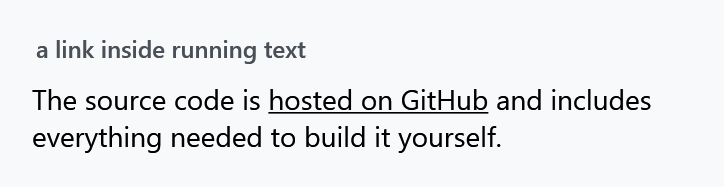
What the style does
MahApps.Styles.Hyperlink is based on WPF's own default hyperlink style rather than replacing it, and adds two setters and three triggers:
Foreground |
MahApps.Brushes.Text |
TextDecorations |
Underline |
on IsMouseOver |
Foreground becomes MahApps.Brushes.Highlight |
on IsEnabled="False" |
Foreground becomes the system grey-text colour |
on IsEnabled="True" |
Cursor becomes Hand, with ForceCursor="True" |
ForceCursor is the one worth knowing about: it makes the hand cursor win over whatever the surrounding control would otherwise show, so a link inside a control with its own cursor still looks clickable.
To make links read as links in the browser sense, override the foreground — either on the link or through a style of your own:
<Style BasedOn="{StaticResource MahApps.Styles.Hyperlink}" TargetType="{x:Type Hyperlink}">
    <Setter Property="Foreground" Value="{DynamicResource MahApps.Brushes.Accent}" />
</Style>
Keep the BasedOn, or the underline, the hover colour and the hand cursor go with it.
Windows 10 and WinUI
The two styles below are on develop. They are not in 2.4.11.
The Win10 and the WinUI set each bring a link of their own, and apply it to every Hyperlink in their part of the tree. Both stand on MahApps.Styles.Hyperlink, so the hand cursor stays.
MahApps.Styles.Hyperlink.Win10 |
MahApps.Styles.Hyperlink.WinUI |
|
|---|---|---|
| at rest | the accent | a darker shade of the accent in a light theme, a lighter one in a dark theme |
| under the mouse | the medium base colour | the next shade out |
| disabled | the disabled base colour | the disabled text colour |
| underline | yes | no |
The values are the ones of generic.xaml of the Windows SDK and of WinUI, where HyperlinkUnderlineVisible is False and the link only gets its line in high contrast. On develop the WinUI link takes the shades of the accent WinUI writes text in, MahApps.Brushes.WinUI.AccentTextFillPrimary, Secondary and Tertiary. The colours are aliases you can override, MahApps.Brushes.Hyperlink.Win10.Foreground, .ForegroundPointerOver and .ForegroundDisabled, and the same for WinUI. A WPF Hyperlink has no pressed state, so the .ForegroundPressed of each set only colours the HyperlinkButton.
For a link that stands on its own rather than in running text, the HyperlinkButton is a button with the same colours.
Navigating
The style does nothing about navigation — that is WPF's job, and WPF does not open a browser for you. Handle RequestNavigate:
private void OnRequestNavigate(object sender, RequestNavigateEventArgs e)
{
    Process.Start(new ProcessStartInfo(e.Uri.AbsoluteUri) { UseShellExecute = true });
    e.Handled = true;
}
<Hyperlink NavigateUri="https://github.com/MahApps/MahApps.Metro" RequestNavigate="OnRequestNavigate">MahApps.Metro on GitHub</Hyperlink>
In a DataGrid
MahApps.Styles.Hyperlink.DataGrid is what a DataGridHyperlinkColumn uses for its cells. Despite the name it targets TextBlock, not Hyperlink: a hyperlink column puts a TextBlock in the cell and the link inside it, so the style dresses the block and carries a nested Hyperlink style in its Style.Resources for the link itself.
You do not need to set it — the DataGrid style wires it up through DataGridHelper, as it does for every other column type. See DataGrid Columns.